Log in
Book a Demo
On-Demand Webinar
Watch Client Workspace in action.
www.company.accelo.com
Replay
Presented by Katie
Gutrich
Head of Strategic Initiatives
Ready to keep clients involved and projects moving forward?
Schedule time with us to see how Client Workspace can -
Schedule a Meeting
Client collaboration from kickoff through the work that follows.
Give executive sponsors and project contributors a clear way to stay involved as milestones advance, new projects begin, and retainer work continues.
Client approvals without the email chase.
Capture client feedback, approvals, and sign-offs directly in the project, so your team has a reliable record of every decision.
Send deliverables for review with file previews, comment threads, and clear deadlines
Route approval requests and milestone sign-offs to the right person
Record approvals, requested changes, and sign-offs in a timestamped project history
Detect stalled approvals with AI signals that help your team know when to step in
Project visibility without another status request.
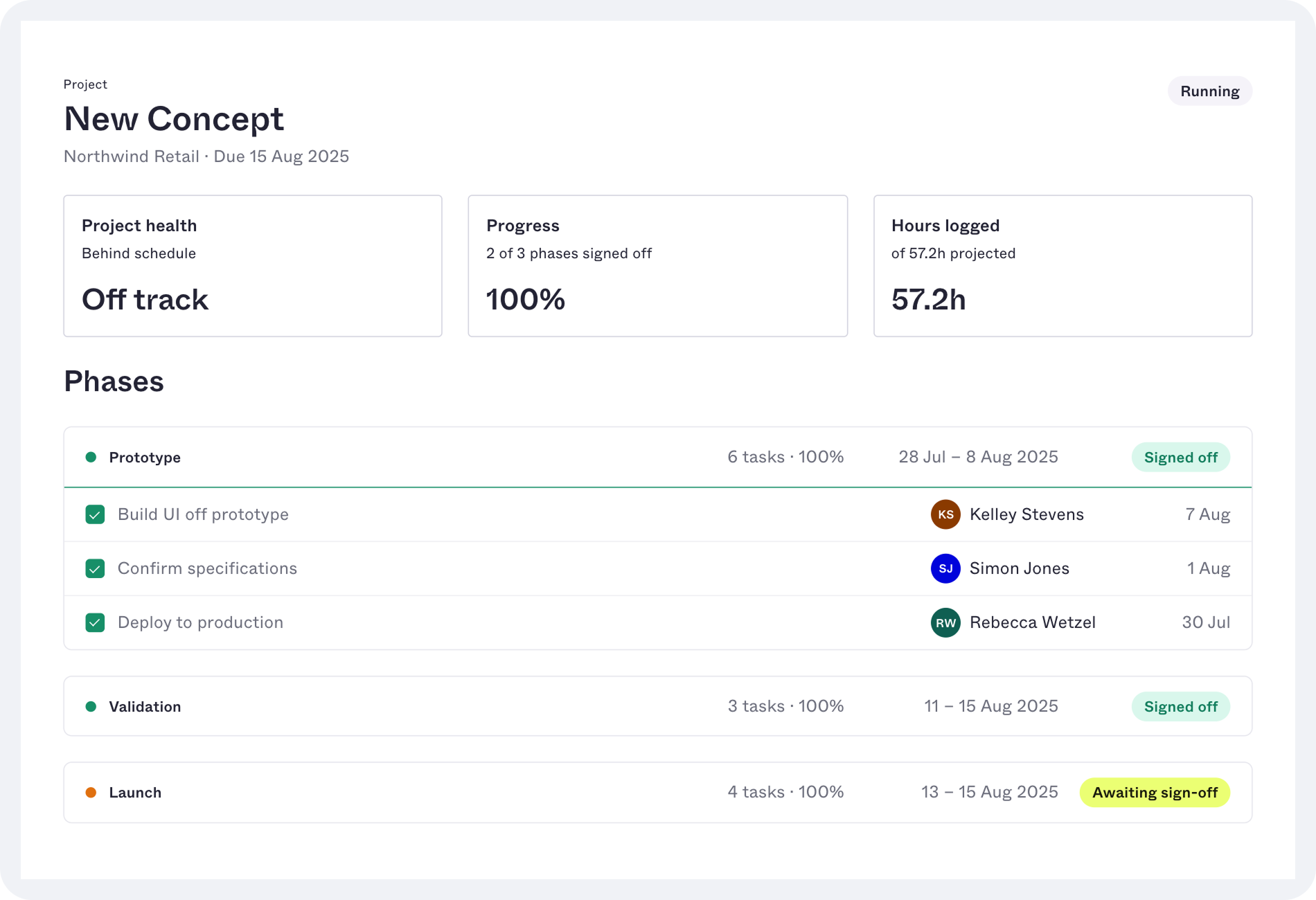
Clients can check project health and timelines as work progresses, giving your team fewer updates to assemble and send.
Share current project health, milestones, and due dates through a client-facing dashboard
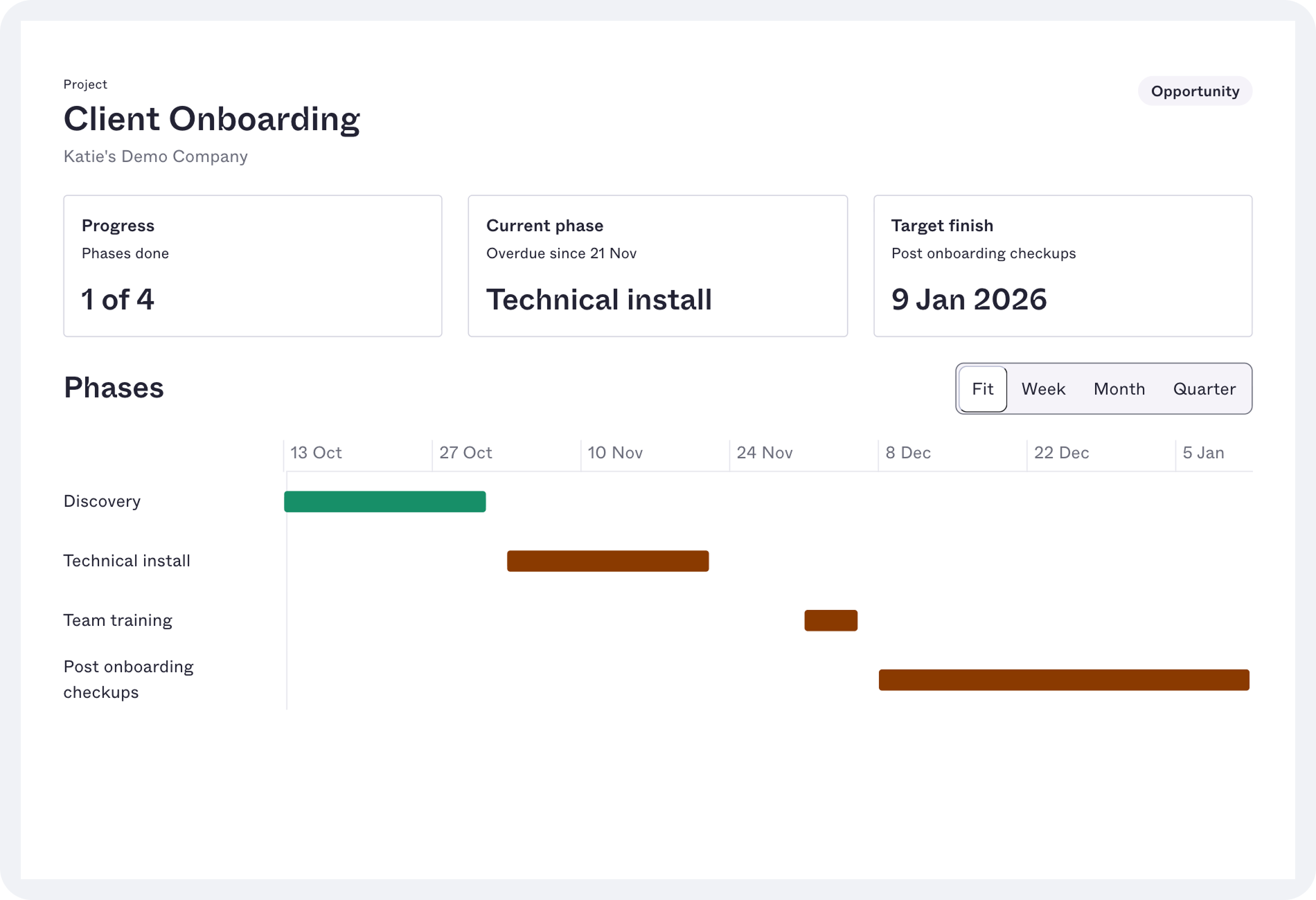
Show timelines and dependencies in a read-only Gantt view with color-coded status and a marker for today
Give executive sponsors a broader view of program and portfolio health across active projects
Spot emerging delivery risks with AI insights from project performance and client activity
Client tasks with clear ownership and progress.
Make client responsibilities part of the project plan, so your team knows who owns each task, when it’s due, and whether it’s complete.
Assign project tasks to client contacts with defined due dates
Provide the files and context clients need to complete assigned work
Enable clients to mark tasks complete in Client Workspace
Receive completion updates directly in Accelo, reducing follow-up by email
A workspace clients have a reason to revisit.
Client Workspace is easy to access and useful throughout the client relationship, while your team tracks adoption.
Brand the workspace with your logo, colors, and email sender name
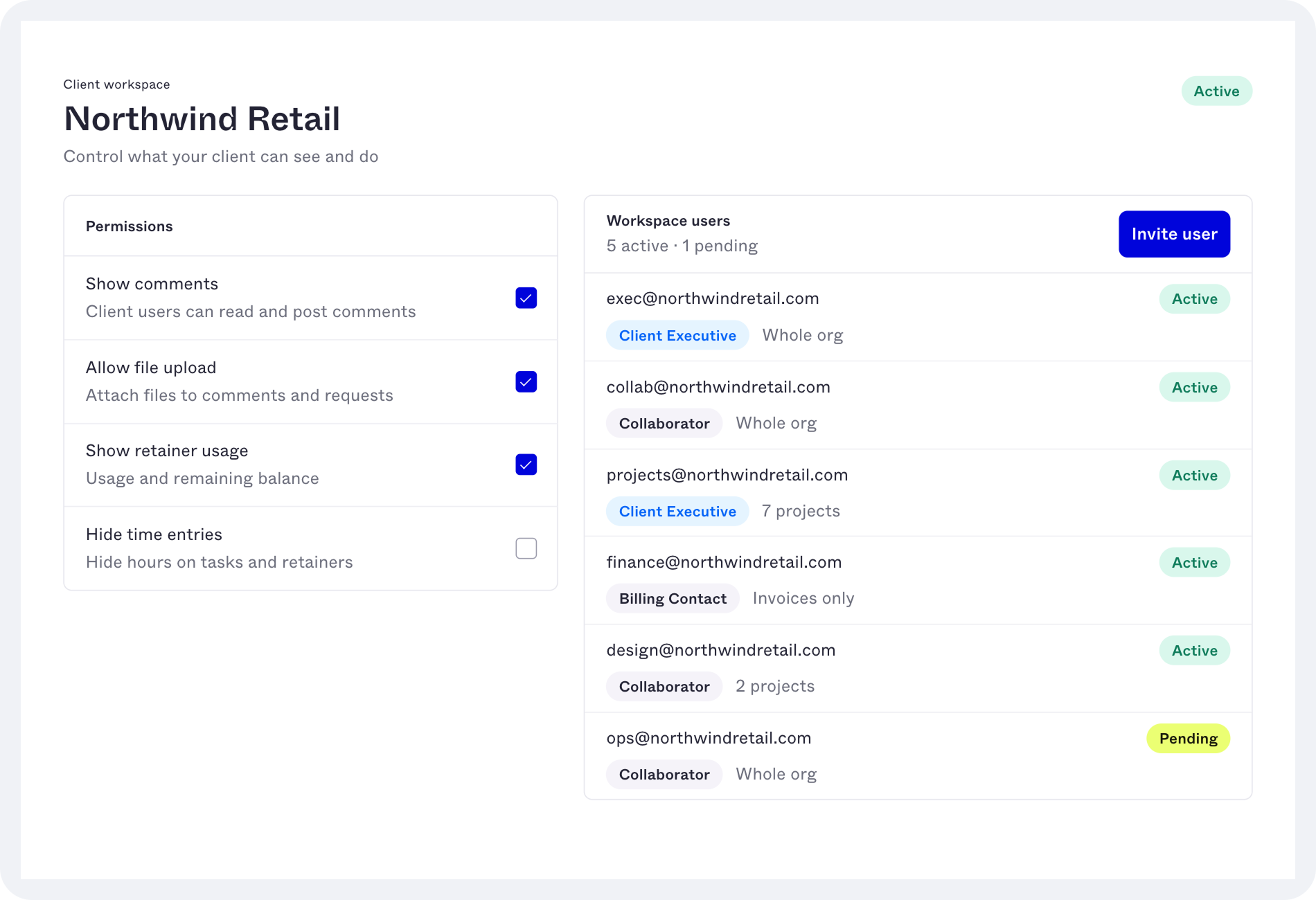
Invite clients through secure magic links, without asking them to remember another password
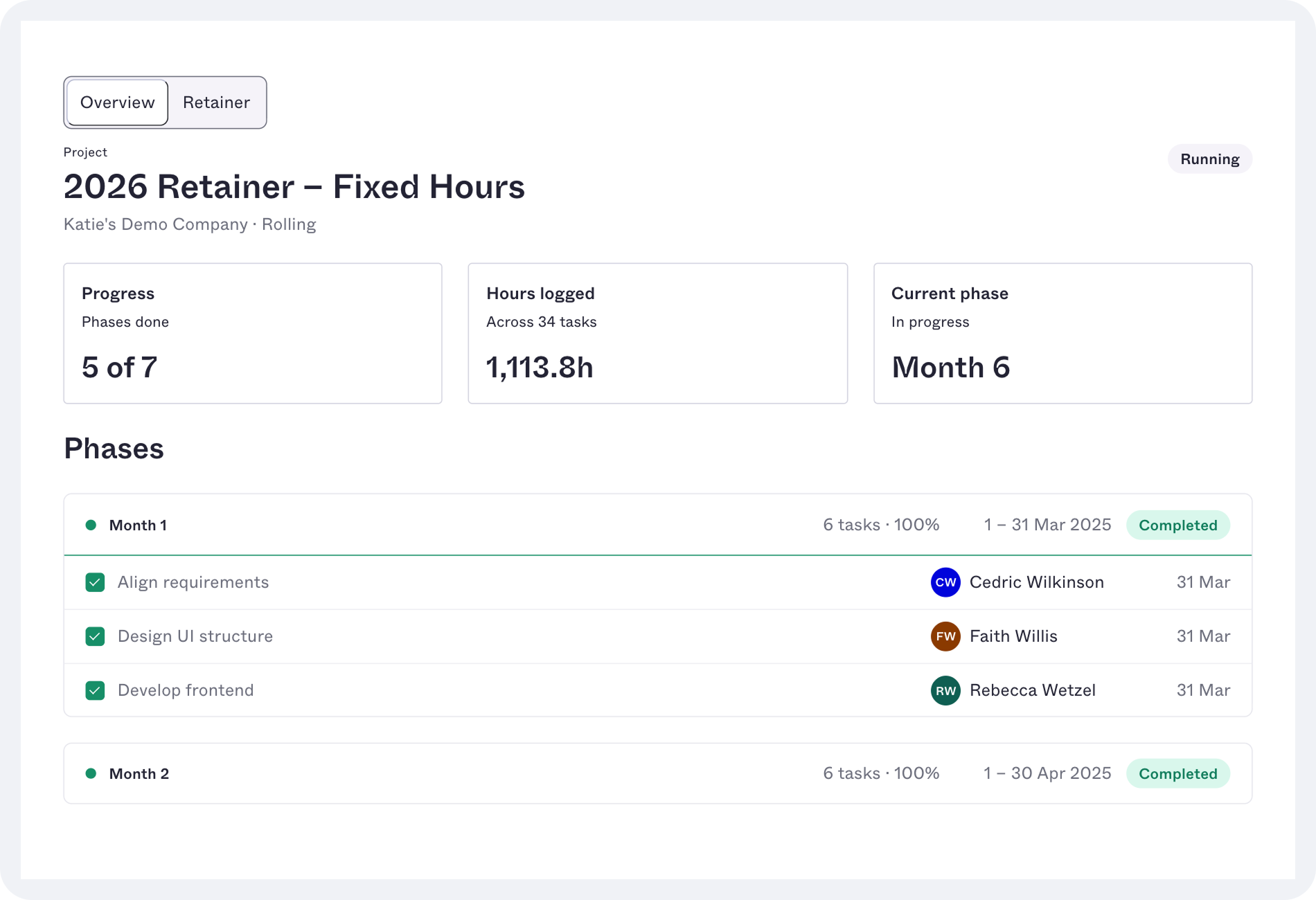
Share retainer hours used against budget, along with the burn-rate trend for each period
Monitor client activity in Accelo to see who has joined and how they’re using the workspace
Schedule a Meeting
What’s included in the Client Workspace add-on:
Branded workspace and magic-link access
Client, program, and project views
Status dashboards and portfolio health
Gantt timelines and milestone tracking
Client-owned tasks and "My Items" queue
File sharing and structured client requests
Deliverable approvals and milestone sign-offs
Approval routing and timestamped audit trail
Retainer usage and burn-rate trends
Schedule a Meeting
x
Schedule time with us
Learn more about the Client Workspace Add-on
Meet with our product experts
With Client Workspace, you gain access to:
Branded workspace and magic-link access
Client, program, and project views
Status dashboards and portfolio health
Gantt timelines and milestone tracking
Client-owned tasks and "My Items" queue
File sharing and structured client requests
Deliverable approvals and milestone sign-offs
Approval routing and timestamped audit trail
Retainer usage and burn-rate trends