
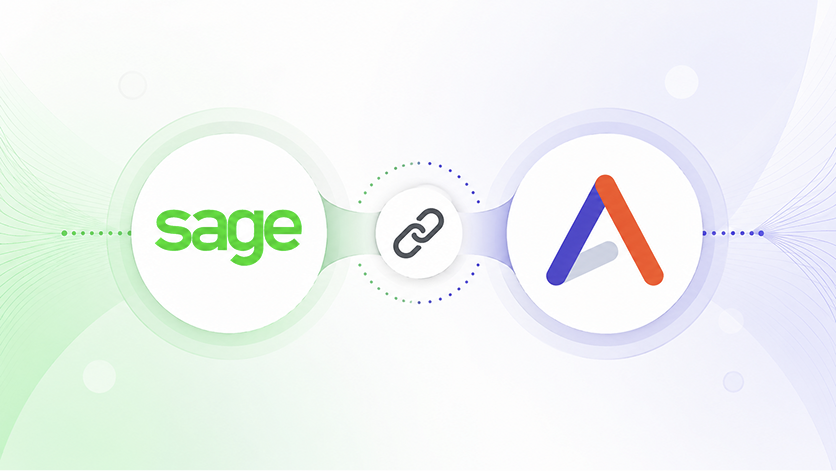
Some PSA tools connect to Sage Intacct; very few actually integrate with it. That distinction — connection versus integration — is the difference between cleaner invoices and real-time margin visibility for every project your firm runs.
What is the Difference Between a Sage Intacct Integration and a Sage Intacct Connection?
A connection moves invoices and payment status between two systems. Most PSA tools offer exactly that—a connection, or a billing bridge. When a project closes or an invoice gets marked paid, the data crosses the wire. A connection keeps the books clean and is helpful for finance teams, but it tells the delivery side of the business almost nothing.
An integration means both systems share a continuous, bidirectional view of the work, not just its output. Clients, users, departments, projects, tasks, timesheets, invoices, and payment data all move in real time. The result is not just cleaner accounting; a COO can see project-level margins without exporting anything, and CFOs can see where billing lag shrinks because the data is always up to date. An integration enables project managers, finance teams, and other stakeholders to look at the same numbers, and the Accelo – Sage Intacct integration is designed to sync every layer of that data, not just invoices.
What PSA Software Integrates Best with Sage Intacct?
Most PSA vendors list Sage Intacct as a supported integration. Few go beyond invoices and payment status. The PSA that integrates most deeply with Sage Intacct is Accelo, syncing clients, users, departments, projects, tasks, timesheets, invoices, payments, and multi-entity structures bidirectionally in real time.
Here's how that compares to what most PSA tools offer.
What Data Objects Does Accelo Sync with Sage Intacct?
Most PSA tools connect to Sage Intacct at the financial layer: invoices out, payments back in. Accelo connects at the operational layer: the people doing the work, the tasks they're working on, the time they're logging, and the projects consuming budget — all synchronized, up to date, and usable for real-time margin analysis. See all Accelo integrations.
Why Integration Depth Determines Project Margin Visibility
The profitability gap in professional services firms rarely comes from bad projects; it comes from delayed visibility. By the time a COO or VP of Operations sees that a project is over budget, the margin is already gone. The hours were logged days or weeks ago. The invoices went out. The conversation with the client is already uncomfortable.
The root cause in most firms is that delivery and financial data live in separate systems that communicate infrequently — or not at all until billing time.
When Accelo and Sage Intacct are fully integrated, that gap closes. Timesheets logged in Accelo flow to Sage Intacct in real time. Project budgets reflect actual hours as they're recorded. Invoices sync without manual entry, and client records stay consistent across both platforms — no reconciliation, no divergence.
The result: finance has a live view of project economics. Delivery has context on what's been billed and what's been paid. And leadership can see, without building a report, which accounts are healthy and which are bleeding margin. That's the difference between knowing a project went wrong and knowing before it does.
How Does the Accelo - Sage Intacct Integration Work?
Accelo's Sage Intacct integration is structured as a step-by-step, fully configurable sync across seven data layers. Each layer adds depth to the connection between your delivery operations and your financial system. The full setup guide is available in Accelo's help center.
Layer 1 - Clients and Customers
When a project is created or updated in Sage Intacct, the associated customer record is automatically synced to Accelo. No duplicate entry, no divergence between what sales knows and what finance has on file.
Layer 2 - Team Members and Departments
Users and organizational structure sync bidirectionally, which matters more than it sounds. Cost-rate accuracy in Sage Intacct depends on having the right people mapped to the right departments.
Layer 3 - Projects
Projects created in Accelo are visible in Sage Intacct from day one. Project status, scope, and budget data move between platforms. Finance can see project economics without logging into the PSA. Delivery teams don't have to wait for a finance export to understand where they stand against budget.
Layer 4 - Tasks
Task-level data flows from Accelo into the financial system, enabling more granular cost tracking and project accounting. Most PSA integrations stop at the project level. Accelo goes deeper - which means your project accounting reflects the actual structure of the work, not just a top-level project code.
Layer 5 - Timesheets
This is where most PSA integrations break down. Timesheets are the most operationally rich data in a professional services firm - and the hardest to synchronize cleanly. Accelo syncs approved timesheet entries to Sage Intacct, ensuring that billable hours are captured accurately and that project cost data in Intacct reflects what was actually delivered, not a manual approximation.
Layer 6 - Invoices
Invoices generated in Accelo sync to Sage Intacct without re-entry. Invoice status, line items, and client associations all carry over. Finance teams work from a single source of truth rather than reconciling between systems.
Layer 7 - Payments
Payment status updates in Sage Intacct flow back to Accelo. Delivery teams can see when clients have paid, which matters for collections escalation and for understanding the true cash position of active accounts.
What are the Business Benefits of Integrating Accelo with Sage Intacct?
The reason integration depth matters to business leadership is not technical — it's economic.
Billing cycle lag shrinks. When timesheets sync in real time, the gap between work delivered and invoice generated collapses. There is no reconciliation step between what was logged and what gets invoiced. The Accelo - Sage Intacct integration closes that gap, which means billing cycles move faster and cash follows sooner.
Margin visibility is always current. When project, task, and timesheet data are all shared across both systems, project margin is a live number — not a monthly calculation. Leadership can see which accounts are profitable and which are burning budget before the project closes.
Headcount and cost rate accuracy improve. Because users and departments sync bidirectionally, cost rates in Sage Intacct reflect the actual team structure rather than a manually updated snapshot. Project accounting is more precise, and the numbers leadership reports on are the same numbers that delivery is working from.
Finance and delivery stop arguing over the numbers. Most firms have experienced the monthly standoff: delivery says one thing, finance says another, and someone has to reconcile two spreadsheets to find the truth. A fully synchronized integration eliminates the divergence before it starts.
What's New in the Accelo - Sage Intacct Integration
Accelo ships ongoing improvements to the Sage Intacct integration. Here's what's been released in 2026, with more in progress.
Expanded Currency Support ~150 Currencies (June 2026)
The integration now supports approximately 150 ISO 4217 currencies, expanded from the previous catalog of 31. New currencies are available across rate cards, exchange rates, and invoices, and symbol positions are corrected for locale. This update directly benefits firms whose primary operating currency falls outside the original catalog, including BRL, ILS, IDR, NGN, PEN, RON, and VND, among others. For multi-entity firms operating across geographies, this removes a practical barrier to running the full integration in every market.
Timesheet Deletion Sync (May 2026)
Deletions of time registrations in Sage Intacct now propagate back to Accelo. Previously, a time entry deleted in Intacct would remain in Accelo, creating divergence between the two systems. This fix ensures that both platforms stay in sync when time data is corrected or removed on the finance side, keeping project cost data clean in both directions.
Direct Entity and Client Sync on Project Creation (April 2026)
PSA projects can now be synced with Sage Intacct entities and clients upon creation. When a project is created in Accelo, users select a Sage Intacct entity and client upfront. The project is then established in both systems simultaneously, linked to the correct entity and client from day one. The connection is also configurable from project settings for existing projects. This closes a meaningful gap for multi-entity firms where project accounting previously required a manual reconciliation step after the fact.
The Integration Is the Entry Point. The Platform Is the Advantage.
Accelo is purpose-built for professional services firms — IT services, consulting, agencies, engineering, and architecture — that run Sage Intacct as their financial system of record. The integration keeps your financial and operational data synchronized, but the platform uses that data to surface margin risk before it materializes, flag capacity gaps before they cause missed deadlines, and give leadership a live view of business health without a monthly reporting cycle.
Most firms evaluating the integration of Sage Intacct with a PSA solution are really asking a deeper question: once the data is connected, what can we actually do with it? Accelo is built around that answer.
The integration gets you connected. Accelo keeps you ahead.
See it in action. Request a demo, and we'll walk through the Sage Intacct integration, show you exactly what syncs, and show you what margin visibility looks like on day one. Book time now.
Frequently Asked Questions
What PSA has the deepest integration with Sage Intacct?
Accelo's integration with Sage Intacct covers seven distinct data layers: clients, users, departments, projects, tasks, timesheets, invoices, and payments, making it the most comprehensive PSA-to-Sage-Intacct integration available. Most PSA tools sync only invoices and payment status.
Does Accelo sync timesheets to Sage Intacct?
Yes. Accelo syncs approved timesheet entries bidirectionally with Sage Intacct. This is one of the most operationally significant capabilities in the integration, as it eliminates the need to manually reconcile hours logged in the PSA with cost data in the accounting system.
Can Accelo sync to multiple Sage Intacct entities?
Yes. Multi-entity support is included in the Accelo - Sage Intacct integration, making it appropriate for firms that manage multiple business entities or operate across multiple geographies within a single financial system.
How long does it take to set up the Accelo - Sage Intacct integration?
The integration follows a structured seven-step setup process. Most firms complete the initial configuration within a few days. Each data layer — clients, users, projects, tasks, timesheets, invoices, and payments — is independently configurable, so organizations can enable the layers relevant to their current workflows and expand from there. See the step-by-step setup guide for full details.
What are the prerequisites for the Accelo - Sage Intacct integration?
You need Sage Intacct Web Services and the Sage Intacct Project module enabled. Accelo's implementation team guides customers through permission configuration and connection setup during onboarding.
Which PSA tools integrate with Sage Intacct?
Several PSA tools list Sage Intacct integrations, including Kantata, ConnectWise, and others. However, the depth of integration varies significantly. Most competitors sync project financials, accounts receivable, and invoice/payment data. Accelo additionally syncs timesheets, tasks, team members, departments, and multi-entity structures, giving finance and delivery teams a shared, real-time view of project economics that most PSA tools don't provide at this level of granularity.


.svg)


.svg)