


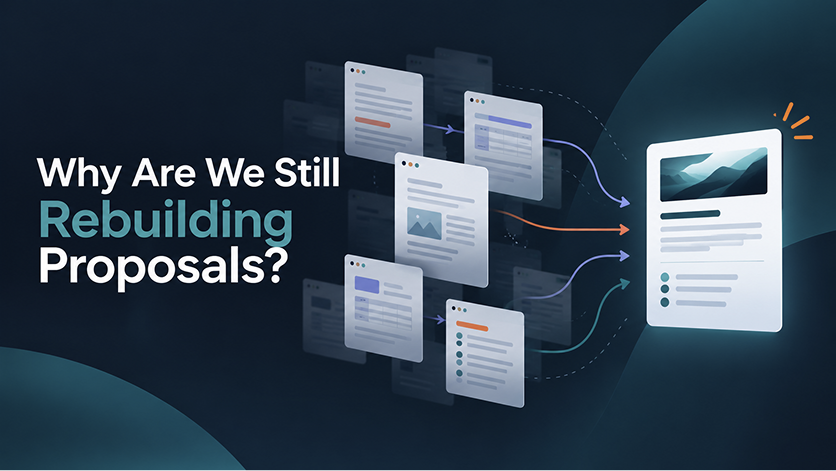
By the time a professional services team is ready to send a proposal, much of the hard work has already happened.
The opportunity has been discussed. The engagement has been scoped. Roles, rates, and revenue assumptions have been worked through. An estimate exists.
And then, too often, someone starts rebuilding that work in a separate proposal document.
Copy the numbers into Word. Recreate the scope in Google Docs. Check that the latest rates made it across. Update the PDF when something changes. Then try to remember which version the client reviewed.
Accelo’s new Client Management and Quote Designer capabilities bring more of that pre-sales workflow into Accelo, so teams can move from opportunity to client-ready quote without recreating information that already exists. The result is a more connected path from what your team is preparing to sell to the work it will eventually need to deliver.
See the Pipeline Before It Becomes Delivery Work
Pipeline visibility matters to more than the sales team. Operations leaders need to know what work may be coming. Client services leaders need to understand where each opportunity stands. Finance needs context around the revenue that could move forward.
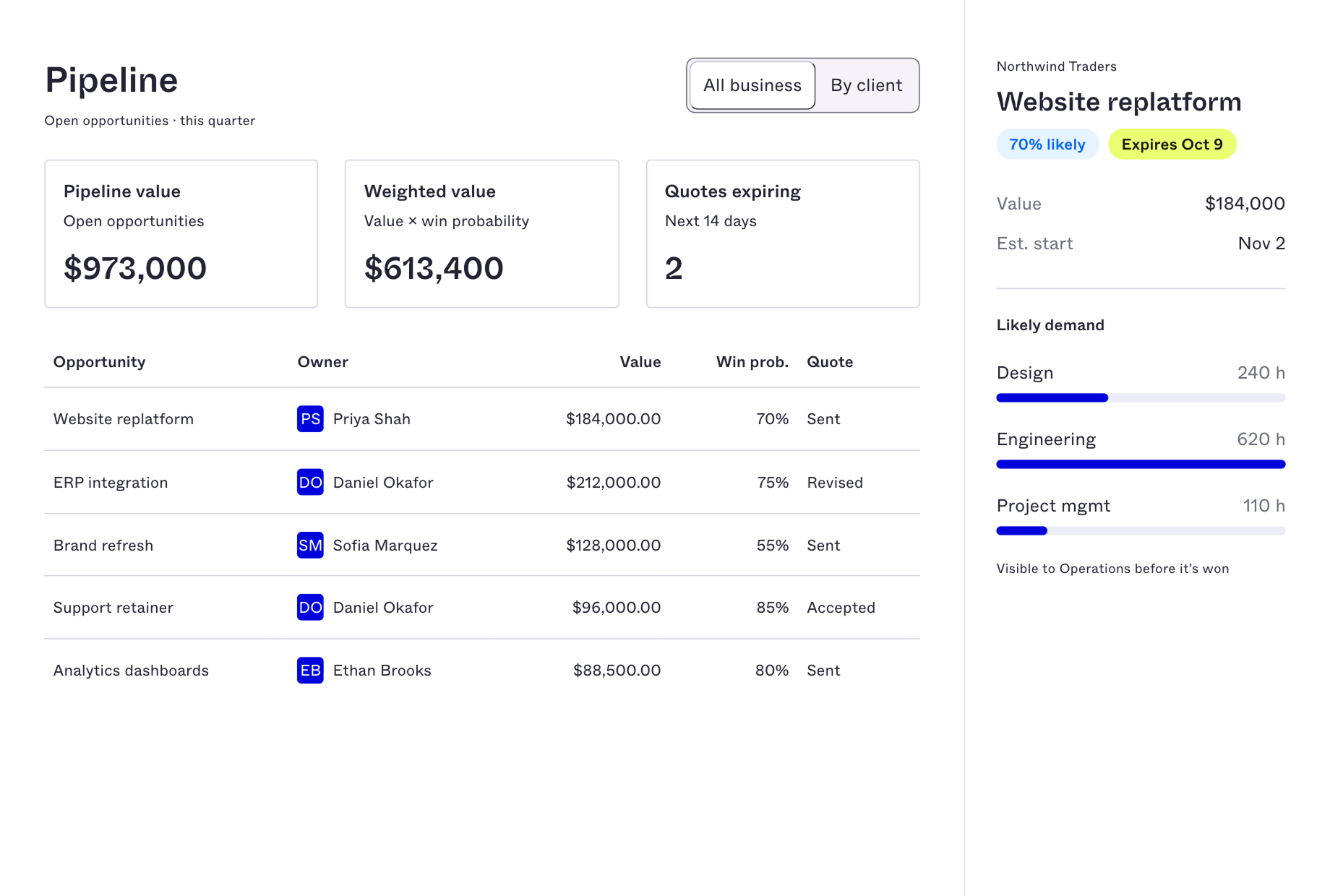
Accelo’s new Global Opportunities view brings opportunity-stage work together in one place, including:
- Win probability
- Baseline revenue
- Quote status
- Quote expiry
- Salesperson
- Client context
Teams can also view opportunities associated with an individual client, making it easier to understand potential work within the broader relationship.
A streamlined opportunity creation flow captures the details that matter at this stage without requiring teams to complete the full project setup before winning the work. That gives sales and operations earlier visibility into likely work while there is still time to prepare for what could be coming next.
Build the Quote From Work You’ve Already Scoped
The biggest change comes when the opportunity is ready to become a client-facing proposal.
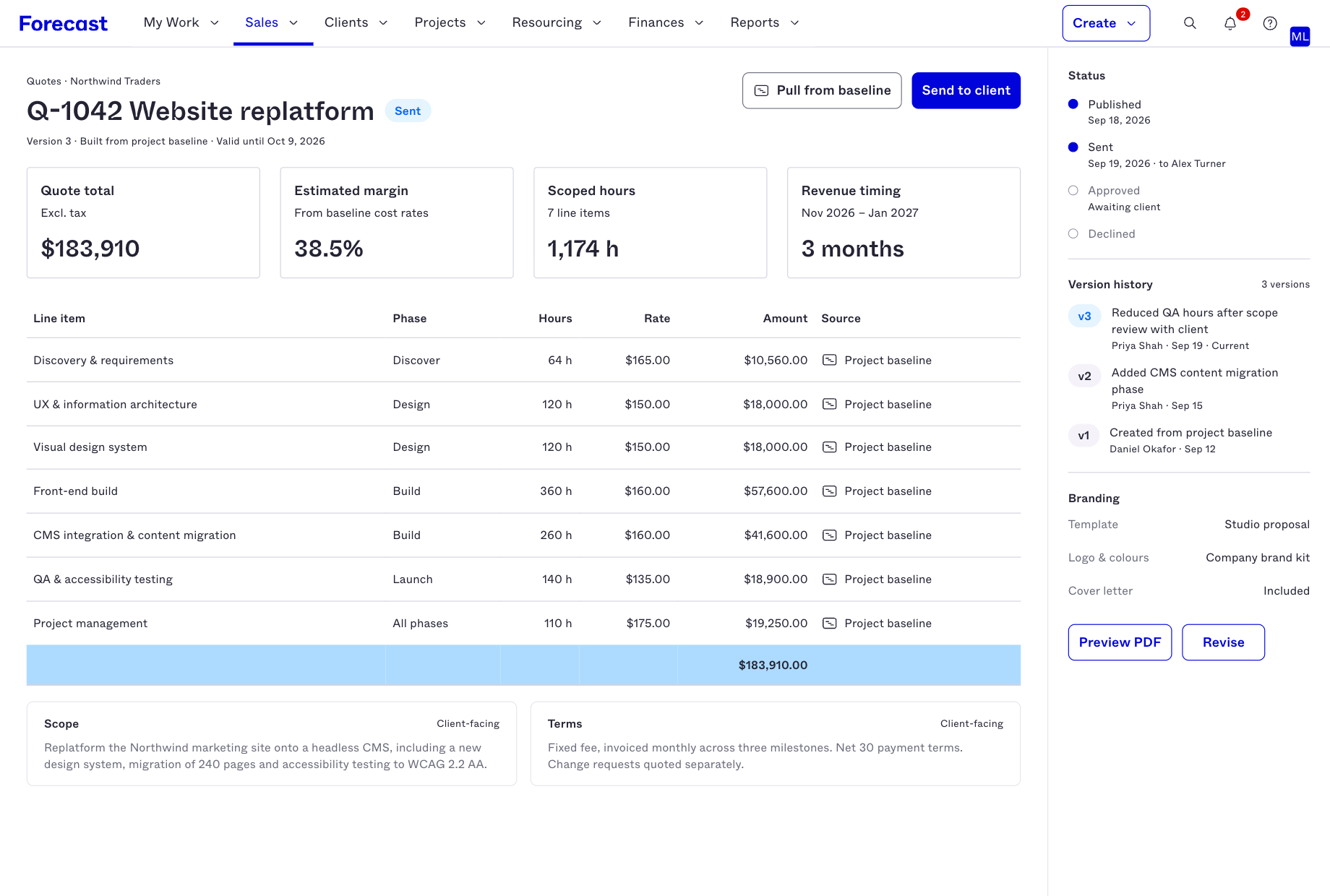
Quote Designer pulls line items from Accelo data, where the scope and financial assumptions behind the work have already been developed. Project, rate card, and client information can stay connected instead of being manually recreated in another system.
That changes a familiar workflow.
Instead of:
Scope the work → build the estimate → leave Accelo → rebuild the proposal
Teams can move toward:
Scope the work → build the estimate → create the client-ready quote
The proposal becomes another stage of the same workflow rather than a separate document that has to be kept aligned manually.
And that matters for more than administrative efficiency. Every additional place where scope, rates, or line items are re-entered creates another opportunity for the client-facing proposal and the underlying assumptions to drift apart.
Create a Client-Ready Proposal in Accelo
Quote Designer provides a live-preview PDF editor for creating the document your client will see.
Teams can add sections such as:
- Introduction
- Scope of Work
- Terms and Conditions
- Agreement language
- Baseline-connected line items
Branding can be applied within the proposal, providing a polished client-facing document without moving the underlying information into a standalone proposal tool.
The value is not simply that Accelo can generate a PDF. The real advantage is keeping the proposal connected to the client, scope, rates, estimate, and opportunity behind it.
Know What Was Sent, What Changed, and Why
Creating the proposal is only part of the process.
Clients ask questions. Scope changes. Commercial assumptions are revised. A proposal may be declined and updated before the work moves forward.
Without a consistent record, answering a seemingly simple question — Which version did the client see? — can mean searching email threads, shared drives, and document folders.
Accelo gives each quote a visible lifecycle:
Published → Sent → Approved or Declined
Version history and an audit log preserve the record as the quote changes. If a client declines a quote or requests a revision, teams can revise the existing quote instead of starting over, while retaining the history behind those changes.
That gives client services, operations, and finance a clearer answer to questions such as:
- What was originally proposed?
- Which version was sent?
- What changed between versions?
- Why was the quote revised?
- What ultimately moved forward?
For finance teams in particular, that history creates a more defensible record without requiring someone to reconstruct the sequence from external documents.
Keep the Sales-to-Delivery Handoff From Becoming a Rebuild
The larger opportunity here is not simply better proposal creation; it’s continuity.
Professional services teams make important assumptions before an engagement begins: what the client needs, how the work will be scoped, what rates apply, how much revenue is expected, and what the team may eventually need to deliver.
When that information moves through disconnected systems and documents, every handoff increases the chance that context gets lost.
Client Management and Quote Designer bring more of that process into Accelo:
Opportunity → estimate → quote → delivery
Pipeline becomes visible alongside the work it could create. Quote line items come from information already developed in Accelo. Changes remain traceable. And when the opportunity moves forward, the client and project context behind the proposal does not have to be reconstructed from scratch.
That is the real value of this release: less rebuilding between selling the work and preparing to deliver it. Your proposal is part of the work you sell; now it can stay connected to the work your team is preparing to deliver.
Already an Accelo customer?
Contact your account representative to learn how you can add Opportunity Management and Quote Designer and keep pipeline, scope, quotes, and client context connected in one workflow.
Not using Accelo yet?
Book a demo to see how Accelo helps professional services organizations connect opportunities, resourcing, delivery, and financial performance from pipeline to profitability.



.svg)


.svg)













