


We're all excited about this one... Today, we're launching the long-awaited Dependencies feature! 🚀
Many of you have asked for this one for a long time, and now we have it ready for all of you. Essentially, Dependencies makes you able to link and create a relationship between cards. For example, you might have a card which initiation is dependent on a prior card's completion, and thus the cards have a "finish-to-start" relationship. Now, with the new Dependencies feature, you can indicate this dependency right inside of your project management space.
To give you a concrete example... We all love cake, right? 🤫 So, I thought this would be the perfect example. To bake a cake, you obviously need to mix the ingredients first. Thus, "Bake the cake" is dependent on "Mix the ingredients". Also, in most cases, you need to bake the cake before you can eat it. Thus, "Bake the cake" is a prerequisite to "Eat the cake". 🍰
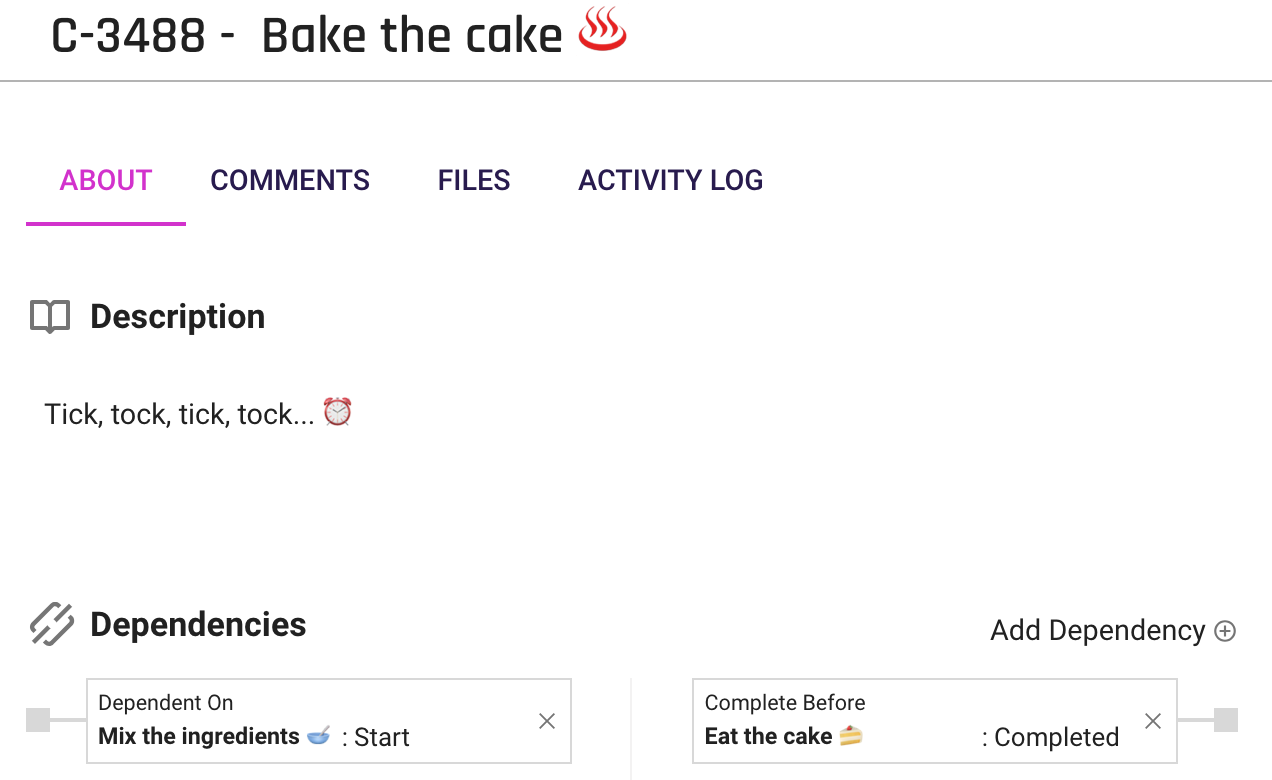
Back to reality... 😞 Thereby, Dependencies in Forecast, includes two features that are very alike, but with a slightly different meaning. Using the Dependencies feature on a card, you can select another card to be either a Dependent or a Prerequisite to this card. The difference between dependent and prerequisite is in the timing of the work.
- Dependent: A Dependent indicates the relationship with a succeeding card. In other words, a card later in time.
- Prerequisite: A Prerequisite indicates the relationship with a preceding card. In other words, a card prior in time.
The two terms are very similar, but both have two distinct meanings.
*Viewing a card*
- Dependent: "Card X" cannot "start / be completed" before this card is completed.
- Prerequisite: "Card X" must be completed before this card can "start / be completed".
You can add either, or both, a Prerequisite and a Dependent to any card. If it's still a bit blurry, you can always use the cake example or the illustration from above.

At this moment, you can view dependencies and prerequisites in the Project Timeline and in Workflow by applying the Filter: Indicators --> Dependencies. This will sort out your timeline to only show dependencies.
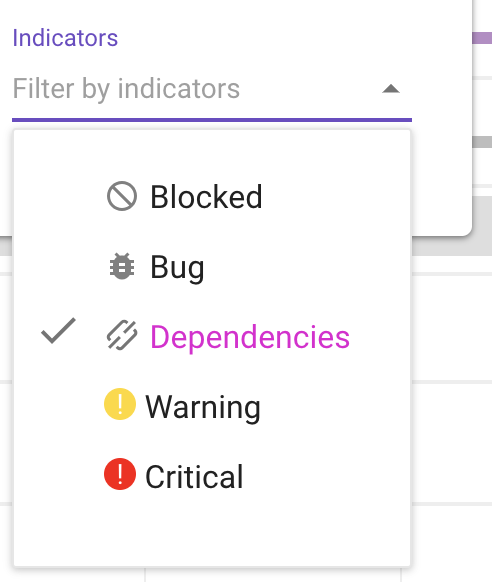
However, we know exactly what you're thinking here... Soon, we'll incorporate Dependencies as lines between cards directly within the main Timeline and Cards Scheduling for a more visual representation. 🙌
If you're as lit as we are, you can go check Dependencies out right now! 🔥
Help? Of course. Check out our Help Center article on the subject, or send us a note directly in the Live Chat.



.svg)


.svg)













